Are your search marketing efforts not yielding the desired results? It’s time to harness the power of Search Marketing in 2023 and skyrocket your website’s visibility. In this insightful journey, we’ll unveil how crafting compelling SEM campaigns, leveraging synergies between SEO and SEM, and focusing on geographic targeting can transform your search marketing strategy into a powerhouse for growth. Get ready to unlock the doors to increased traffic, conversions, and revenue.
Search Marketing is a digital marketing strategy that uses techniques such as pay-per-click (PPC) advertising and SEO to increase visibility across the Internet.
Key Takeaways
- Search marketing combines SEO and SEM to increase website visibility, leads, sales & revenue.
- Develop a successful search strategy by targeting the right audience, setting clear goals & balancing SEO/SEM with digital strategies.
- Leverage powerful tools like Google Ads and content marketing for maximum impact in local markets.
- SEO stands for Search Engine Optimization – Organic Results
- SEM stands for Search Engine Marketing – Paid Results
- PPC stands for Pay Per Click – Paid Results
Table of Contents
Understanding Search Marketing
Search marketing has emerged as a vital component of any online marketing strategy. It encompasses two primary strategies: Search Engine Optimization (SEO) and Search Engine Marketing (SEM). While SEO focuses on organic search marketing, SEM propels your website’s visibility through paid search marketing techniques.
When balanced effectively, these complementary approaches can significantly boost your search marketing performance and drive growth. Striking the right balance can be tricky. Here’s a deeper examination of SEO and SEM to help you navigate.
Search Engine Optimization (SEO)
SEO is all about optimizing your content to rank higher in organic search engine results pages on Google, Yahoo, and Bing. This dynamic process involves on-page and off-page optimizations to enhance your website’s visibility and attract more traffic.
But what about the turnaround time? Typically, SEO takes three to six months to show results. However, the advantages of SEO are manifold.
- Securing higher rankings in search results attracts free, qualified traffic from your target audience
- Yielding new leads
- Increased sales
- Additional revenue
Moreover, an effective SEO strategy can generate long-term traffic, making it a worthwhile investment.
Search Engine Marketing (SEM)
While SEO focuses on organic search, SEM is about paid advertising on Google Ads, Yahoo, and Bing to enhance website visibility and traffic. At the heart of SEM lies the importance of search terms. These keywords are used by users when conducting searches on search engines. By bidding on specific keywords, you can secure paid search ads at the top of the Search Engine Results Page (SERP), giving your website an edge over organic results.
But how can you select the right keywords for your SEM campaign? The answer lies in understanding keyword intent, search volume, competition, and cost per click.
Developing an Effective Search Marketing Strategy
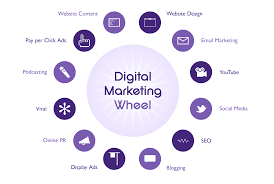
To create a successful search marketing strategy, it’s crucial to understand your target audience, set clear goals, and strike the perfect balance between SEO and SEM. Incorporating a digital marketing strategy involves conducting target audience analysis, setting measurable goals, and monitoring key metrics to optimize your search marketing efforts.
Integrating SEO and SEM maximizes your website’s visibility, attracts more visitors, and boosts overall search engine rankings. Here’s an exploration of how to develop an effective search marketing strategy.
Target Audience Analysis
Understanding your target audience is crucial for tailoring your search marketing strategies to their needs and preferences. Target audience analysis involves examining the demographics, values, interests, and buying habits of a specific group of people. Creating a profile of your target audience enables you to craft marketing campaigns that resonate with them, hence yielding more successful outcomes.
So, how do you conduct target audience analysis? It involves the following steps:
- Identifying the target audience
- Researching their preferences and behaviors
- Analyzing the data
- Creating a comprehensive audience profile
Goal Setting
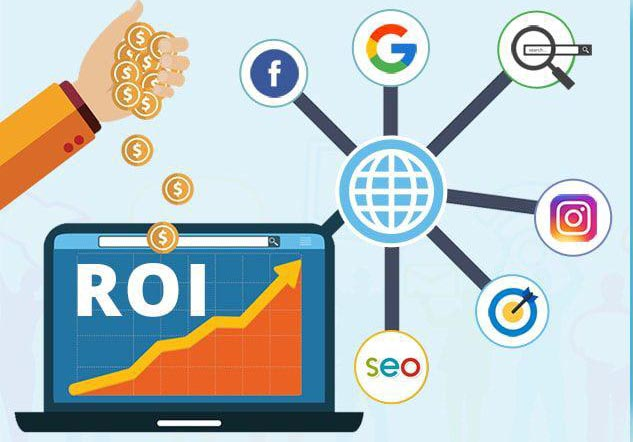
Setting clear goals for your search marketing campaigns is essential for ensuring measurable results and tracking progress. Establishing measurable goals, such as increasing website traffic, optimizing website conversions, or enhancing brand recognition, provides a way to gauge the success of your campaign.
To establish and monitor these goals, start by defining the goals, setting a timeline, devising a plan of action, and monitoring progress regularly.
Balancing SEO and SEM
Finding the right equilibrium between SEO and SEM efforts is crucial for maximizing the effectiveness of your search marketing strategy. By comprehending the distinctions between SEO and SEM, you can optimize your search marketing endeavors to achieve the desired outcomes.
This balance involves monitoring key metrics, such as cost per click and click-through rate, and leveraging SEM tools to ensure a seamless integration of both strategies.
Crafting Compelling SEM Campaigns
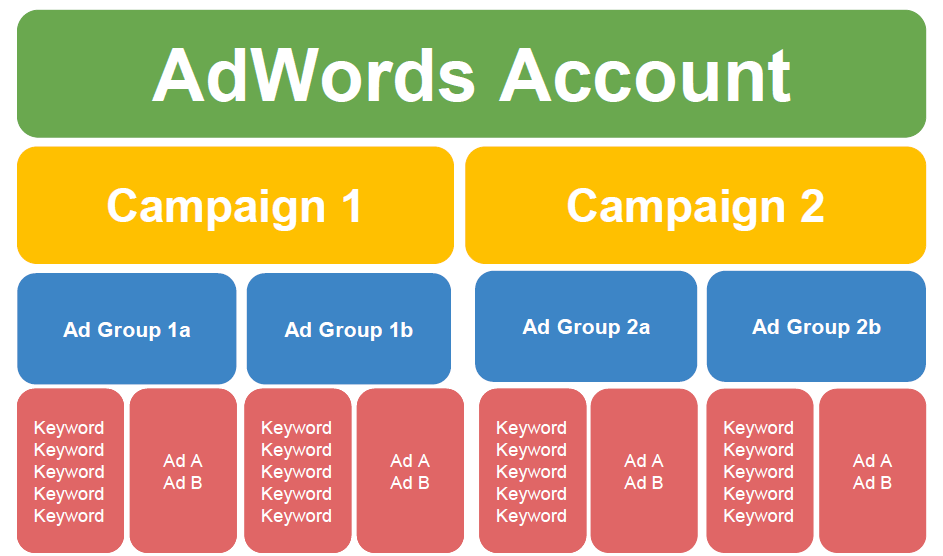
A successful SEM campaign involves proper ad group and campaign structure, thorough keyword research, and engaging ad copy. Effectively organizing ad groups, selecting the right keywords, and crafting captivating ad copy will drive more traffic, increase conversions, and maximize your return on investment.
Let’s explore the components of crafting compelling SEM campaigns.
Ad Groups and Campaign Structure
Effectively organizing your ad groups and campaigns is essential for improving budget allocation and performance tracking. Focusing on specific keyword clusters allows for strategic bidding on relevant keywords, ensuring efficient budget use.
A well-structured Google Ads account involves grouping ads together topically, allowing for appropriate bidding strategies.
Keyword Research and Selection
Keyword research is crucial for targeting the right audience and driving conversions in your SEM campaigns. Identifying the most suitable keywords for your business, products, or services ensures that your ads appear in front of your target audience, which leads to increased traffic and sales.
Additionally, frequent keyword research, such as conducting new research on a monthly basis, can help enhance your SEO and SEM strategies.
Writing Engaging Ad Copy
Capturing users’ attention and encouraging clicks on your paid ads is crucial for the success of your SEM campaign. Engaging ad copy includes a headline, a display URL, a description, and ad extensions. To optimize your ad copy, experiment with different versions, incorporate keywords, and ensure that it is relevant to the landing page.
Crafting captivating ad copy increases the likelihood of users clicking on your ads and converting them into customers.
Analyzing and Optimizing SEM Performance
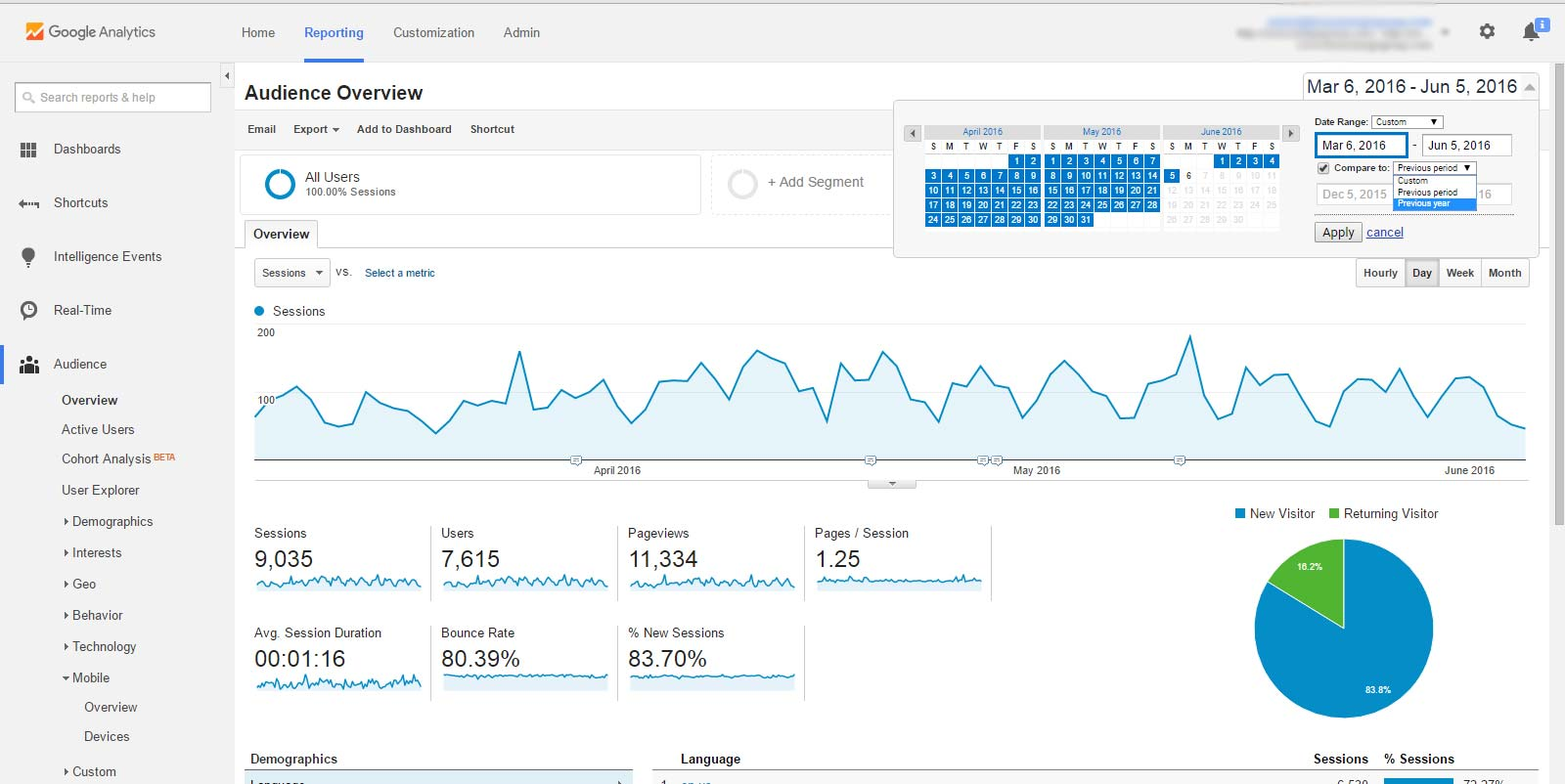
To maximize the return on your search marketing investments, it’s critical to analyze and optimize your SEM performance. This involves tracking key metrics, conducting A/B testing, and leveraging SEM tools to gain valuable insights and streamline your search marketing efforts.
Let’s delve into the process of analyzing and optimizing your SEM performance.
Tracking Key Metrics
Monitoring key metrics, such as cost-per-click (CPC), click-through rate (CTR), and analytics tracking, helps identify areas for improvement and measure the success of your SEM campaigns.
By closely monitoring these metrics, you can make informed decisions about your search marketing efforts and ensure that your investments are being used effectively.
A/B Testing and Iteration
A/B testing and iteration are essential for continuous optimization of your SEM campaigns. By comparing different versions of a variable, such as ad copy or targeting options, you can identify which performs better based on key metrics, such as conversions or engagement.
This allows you to optimize your campaigns and improve your overall search marketing performance.
Leveraging SEM Tools
Leveraging SEM tools like Google Ads and SEMRush provides valuable insights into your search marketing efforts and optimizes your campaigns more effectively. These tools can help you identify the most effective keywords, monitor the performance of your ads, assess competitor strategies, and manage your ad campaigns and budgets efficiently.
By utilizing these powerful SEM tools, you can ensure that your search marketing efforts are both efficient and effective.
Integrating SEO and SEM for Maximum Impact
Integrating SEO and SEM can maximize the impact of your search marketing strategies by leveraging synergies between the two approaches and utilizing content marketing to drive organic traffic and support paid advertising campaigns.
Combining the strengths of SEO and SEM achieves greater visibility, increased traffic, and better overall performance in search engine results.
Let’s explore how SEO and SEM can work together to enhance your search marketing efforts.
Synergies Between SEO and SEM
The concept of synergies between SEO and SEM is all about utilizing the combined strengths of both approaches to enhance overall search marketing performance. By using SEO to optimize your website for organic search results and SEM to drive targeted traffic through paid advertising, you can reap the benefits of both strategies, leading to improved visibility and increased conversions.
Content Marketing and Search Marketing
Content marketing plays a crucial role in both SEO and SEM, driving organic traffic and supporting paid advertising campaigns. Creating content optimized for search engines and tailored to your target audience’s preferences and needs enhances SEO performance and improves the effectiveness of SEM campaigns.
Furthermore, content marketing can help cultivate brand awareness and trust, resulting in increased organic visibility and more focused traffic.
Geographic Targeting and Localization
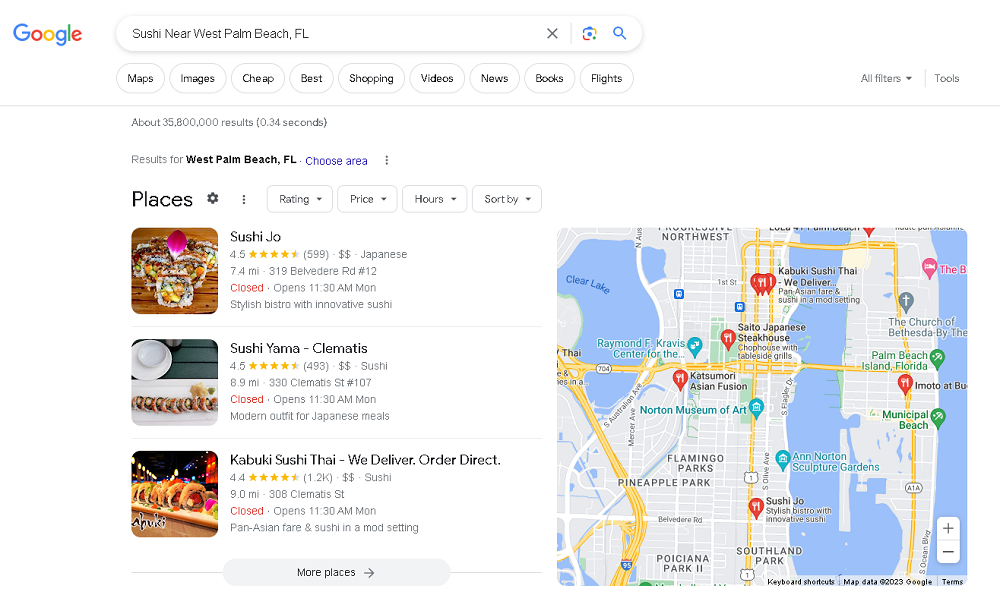
Geographic targeting and localization can significantly enhance the effectiveness of your search marketing efforts by focusing on local SEO and geo-targeted SEM campaigns. Optimizing your website for specific geographic locations and targeting ads to users in those areas ensures your marketing efforts resonate with your target audience, leading to improved visibility and increased conversions.
Let’s explore the importance of geographic targeting and localization in search marketing.
Local SEO
Local SEO is all about optimizing your website for local search results and driving traffic from users in your target geographic area. Optimizing your content for local keywords and generating local citations and backlinks improves your website’s visibility in local search results and attracts more local customers.
Additionally, making sure your website is mobile-friendly and your NAP (name, address, and phone number) is consistent across all online listings can further enhance your local SEO efforts.
Geo-targeted SEM Campaigns
Geo-targeted SEM campaigns allow you to:
- Focus your paid advertising efforts on specific geographic locations
- Ensure that your ads reach the right audience at the right time
- Improve the relevance of your ads
- Optimize their performance
Targeting ads to users in specific geographic areas can greatly enhance the effectiveness of your SEM campaigns.
To design a successful geo-targeted SEM campaign, follow these steps:
- Research your target audience.
- Select the appropriate geographic area to target.
- Create an effective campaign structure that incorporates relevant keywords.
- Write engaging ad copy.
By following these steps, you can create a geo-targeted SEM campaign that reaches your desired audience and drives results.
Summary
In conclusion, harnessing the power of SEM in 2023 can significantly enhance your search marketing efforts, drive increased traffic, and boost conversions. By understanding the core components of SEO and SEM, developing a comprehensive search marketing strategy, crafting compelling SEM campaigns, and leveraging geographic targeting and localization, you can unlock the full potential of your search marketing endeavors. Now is the time to take your search marketing game to new heights and reap the rewards of a well-executed SEM campaign.
Frequently Asked Questions
What is an example of search marketing?
Search marketing is a digital marketing strategy that uses techniques such as pay-per-click (PPC) advertising and SEO to increase visibility across the Internet. An example of search marketing is using Bing Ads to buy ads on both Yahoo’s network of websites and Bing’s network.
What is the role of search in marketing?
Search engine marketing is an essential tool for businesses to reach their audience and boost visibility. It allows them to advertise non-intrusively and drive immediate traffic to their website. By improving content ranking through SEO and SEM, businesses can effectively increase their reach and engagement.
What is SEM vs SEO?
SEO is the process of optimizing a website to rank well in organic search results, while SEM relies on paid advertising platforms to deliver website traffic. SEO focuses on creating and enhancing webpages according to search engine algorithms, while SEM utilizes PPC ads to appear higher in SERPs. Both digital marketing channels can help elevate brand visibility and generate greater revenue.
Is search marketing paid?
Yes, search marketing is paid. It is the process of marketing a business through paid advertisements that appear on search engine results pages (SERPs). These ads are typically run using pay-per-click (PPC) models and require advertisers to bid on keywords.
How can I balance my SEO and SEM efforts for maximum effectiveness?
By understanding the distinctions between SEO and SEM, monitoring key metrics, and leveraging relevant tools, you can effectively balance your SEO and SEM efforts for maximum effectiveness.